loading…

Wallscribe
v1.0.0$9.99
Draw, write and tick off lists right on your Windows desktop wallpaper — behind your icons and windows.
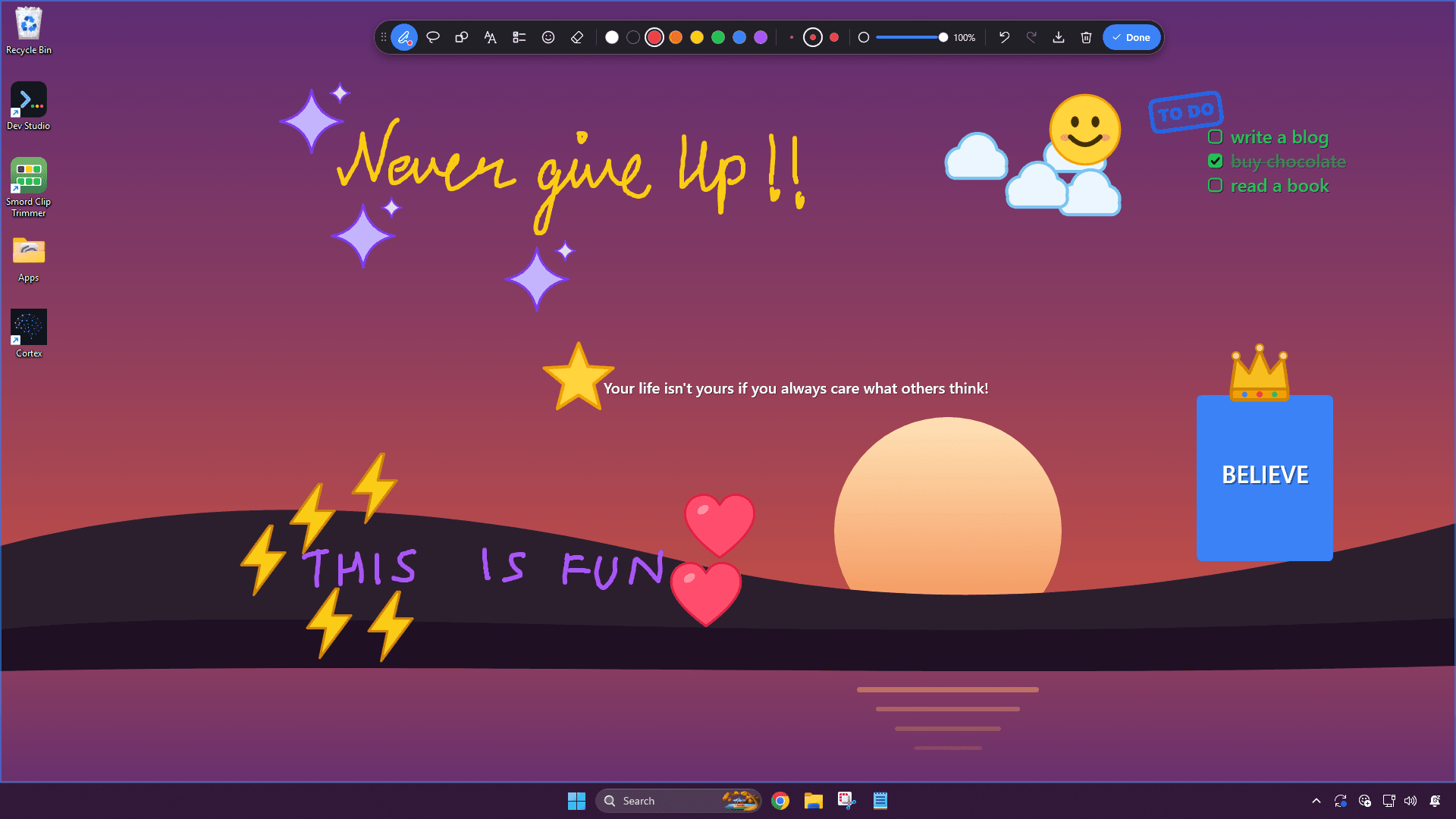
Your desktop is the screen you see most, and the one place you can't write anything down.
Notes end up in a window you have to open, or on paper beside the keyboard. Wallscribe puts them on the wallpaper itself — behind your icons and every window, so they're there whenever you look, and never in the way of a click.
How it works
01
Click the icon by the clock
Wallscribe lives in the notification area. One click opens the toolbar.
02
Draw or write anywhere
A pressure-sensitive pen, text notes, checklists, shapes and stickers — anywhere on the desktop.
03
Click Done
Your notes settle onto the wallpaper and save themselves. They're back after every restart.
Features
Notes sit behind your desktop icons and every window, so they never block a click
A pressure-sensitive pen — and the eraser end of a stylus erases
Text notes you can type anywhere, then move and resize
Checklists you can tick off as you go
Shapes — rectangles, ellipses, lines and arrows
24 original stickers, plus "To do", "Done" and "Urgent" stamps
8 colours and 3 sizes for every tool, plus see-through ink for highlighting
Draw a loop around your handwriting to move, resize, recolour or delete it
Turn your handwriting into typed text
Hide your notes before you share your screen, or fade them into the background
Each monitor keeps its own notes
Works with picture wallpapers and with Wallpaper Engine live wallpapers
Save your wallpaper and your notes together as a picture
Saves as you go, and starts with Windows, so your notes are back after every restart
No account, no ads, no internet connection and no data collection
Related apps
Folder Notes PanelAdd notes directly inside your folders - reminders, context, and instructions that appear only when you open that folder.openLite SheetA lightweight spreadsheet for quick lists, notes, and simple tables.openVerti StudioConvert gameplay clips into vertical YouTube Shorts (1080x1920).in development

